Step 1 – Enable the SAS Provider in the OMC under Advance
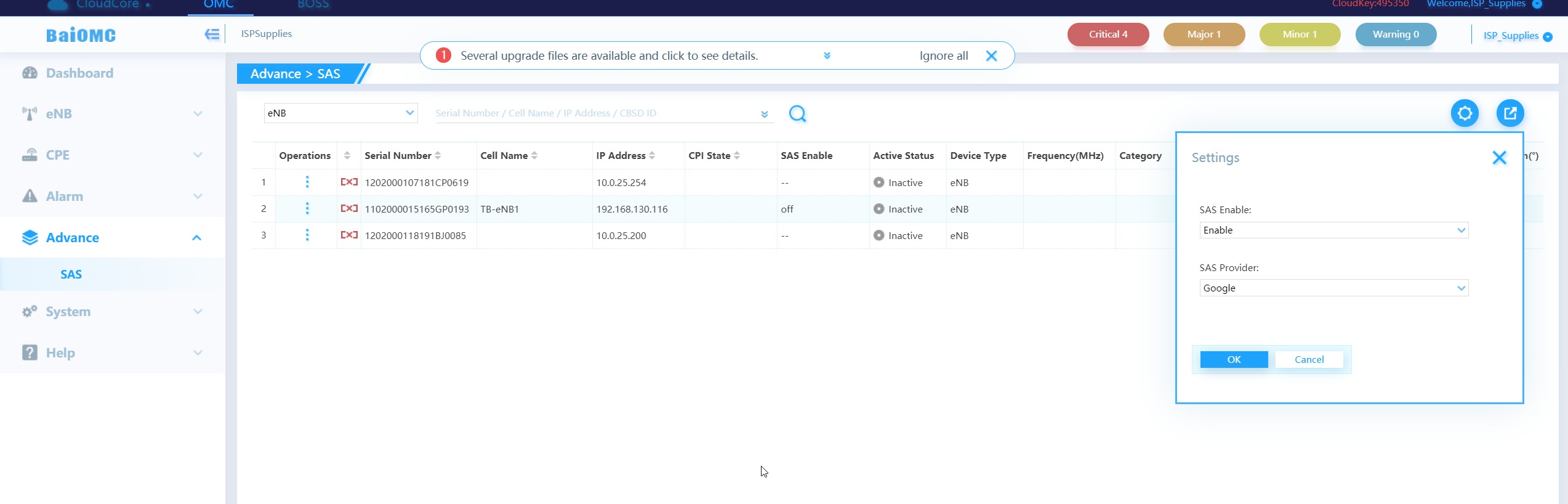
Step 2 – Enable the ENB for SAS DP connectivity and set install parameters in the ENB using the Multistep Method. Set the PreferFreqHigh to the highest frequency you want to request and the PreferFreqLow to the lowest. In this example, we are requesting 2 10Mhz channels from 3550 to 3570.
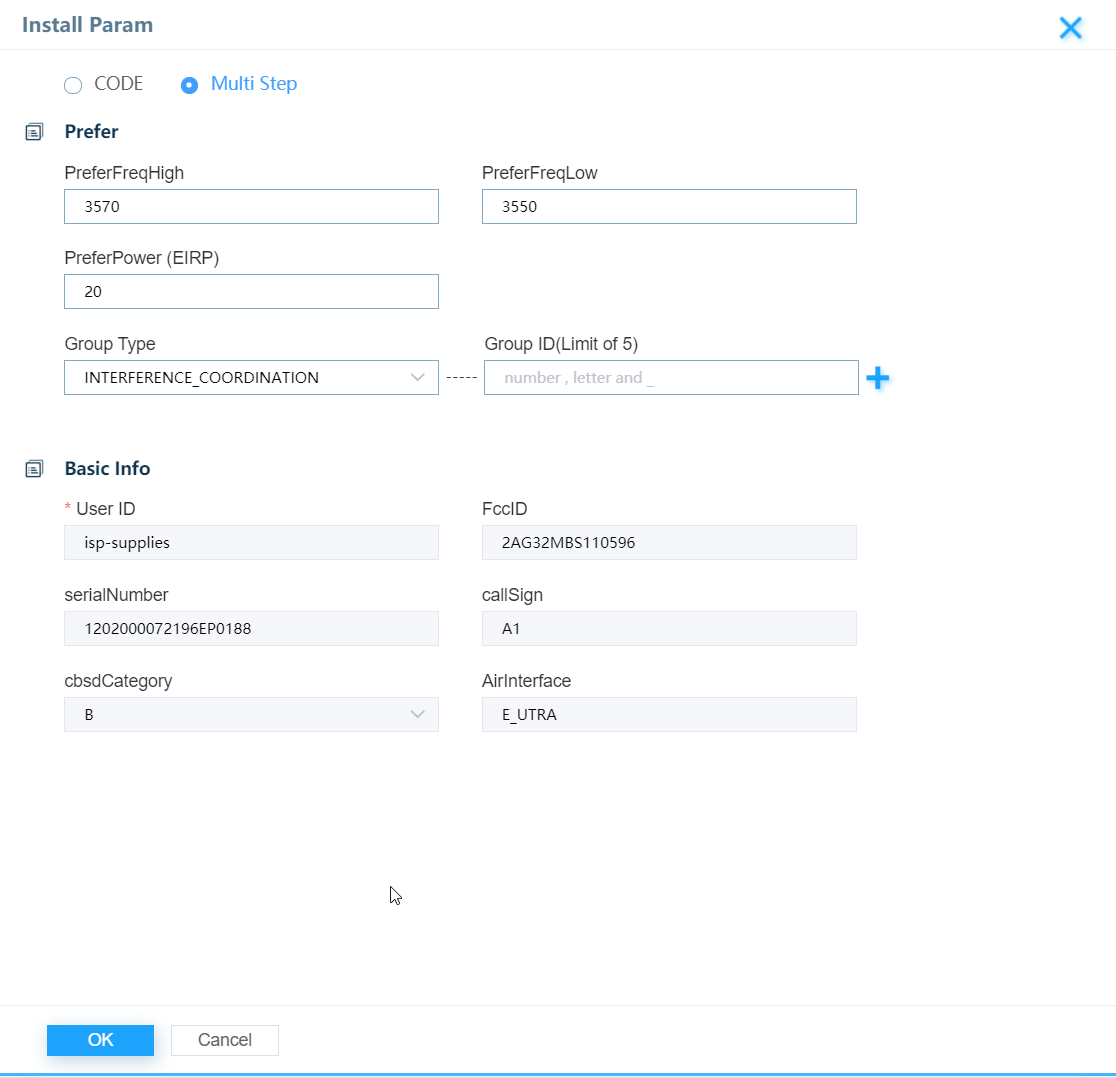
Caveats:
The CPI name must not contain spaces. For instance, my name is DavidPeterson
The User ID was selected/given when you signed up for the SAS. Ours is isp-supplies
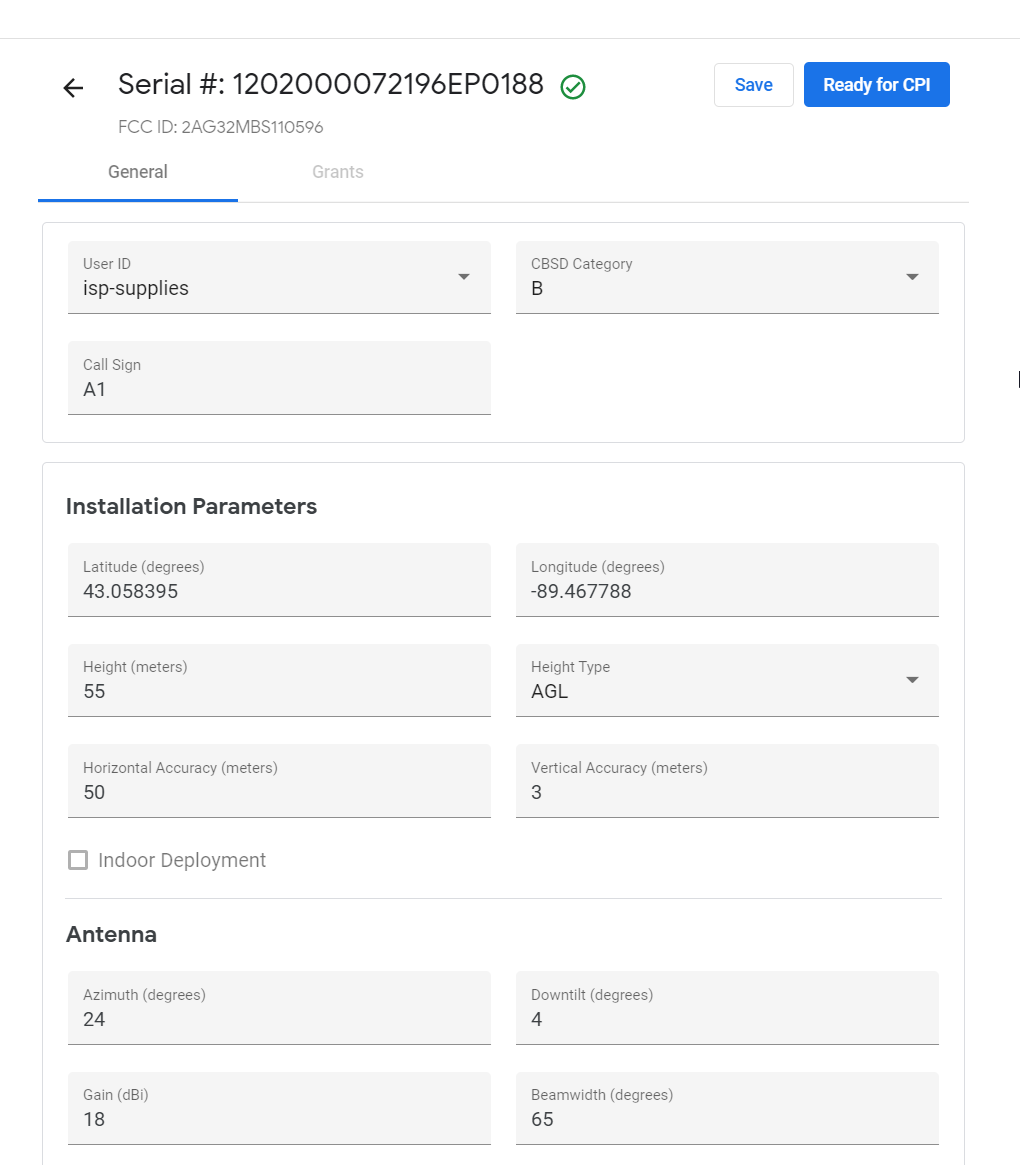
Step 3 - Log into your SAS Portal and click on the Ready For CPI Button.
Step 4 - Have your CPI verify the installation parameters and sign the CBSD.
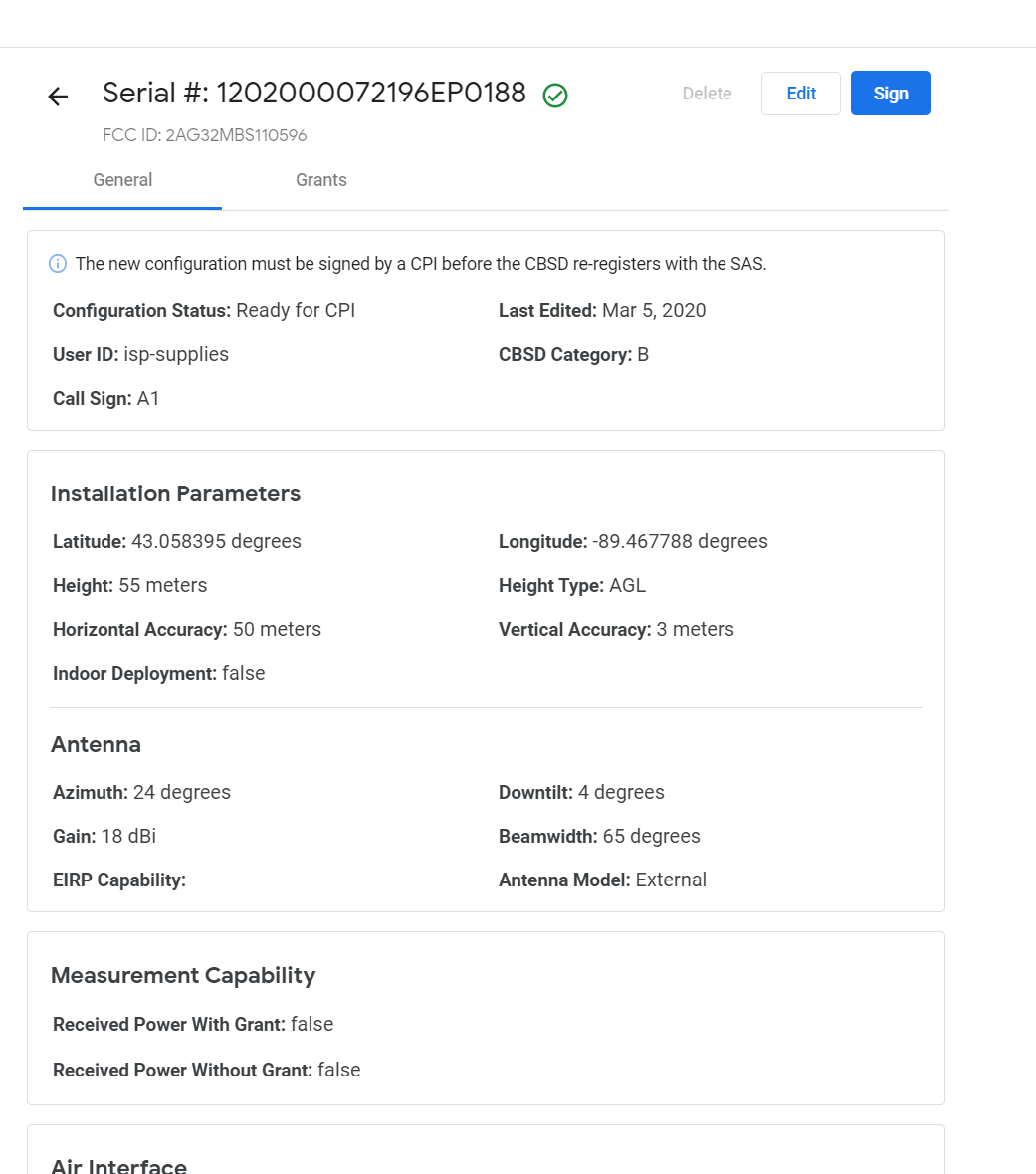
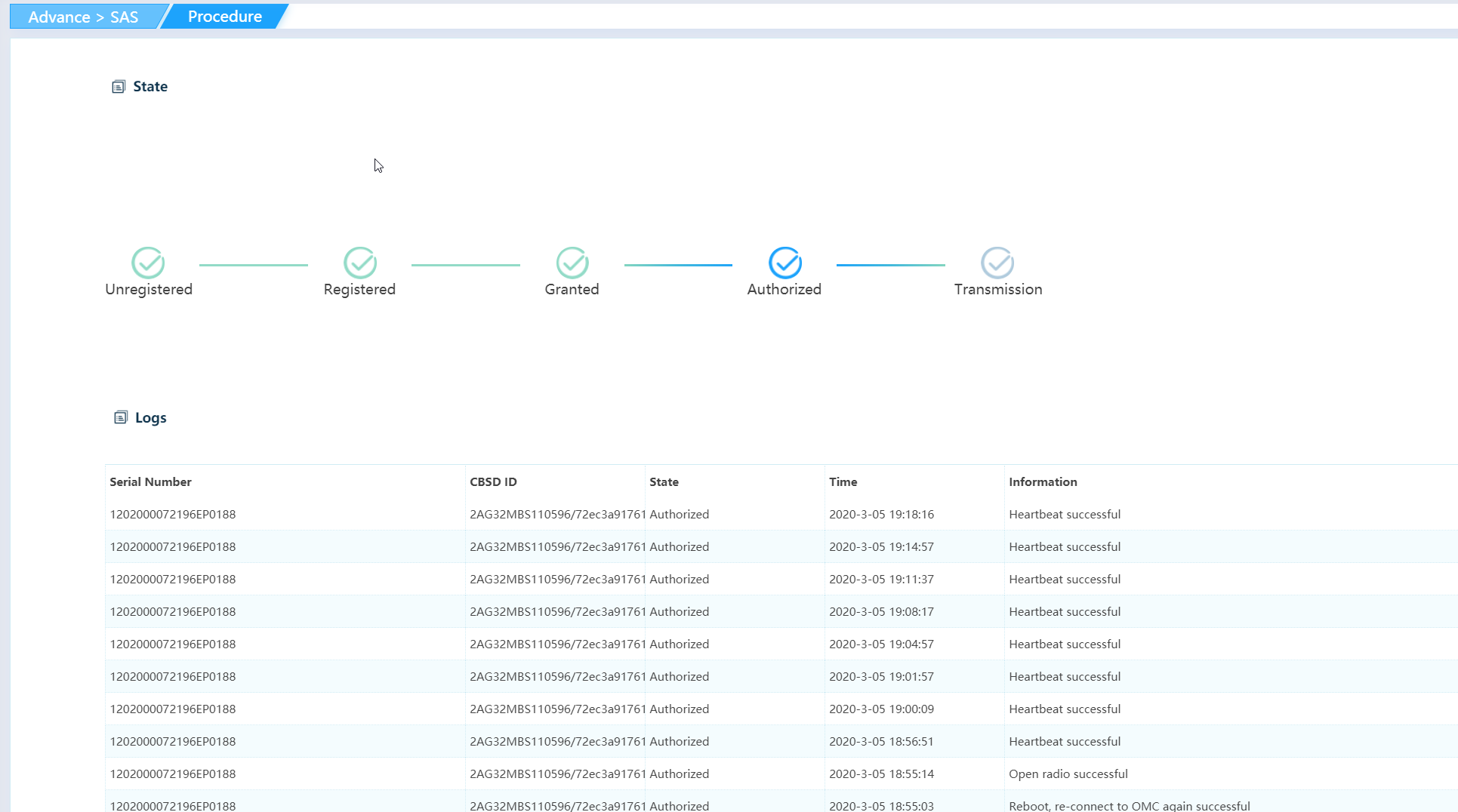
Success!
Was this article helpful?
That’s Great!
Thank you for your feedback
Sorry! We couldn't be helpful
Thank you for your feedback
Feedback sent
We appreciate your effort and will try to fix the article